If you manage many projects in Asana, you know the challenge: a process changes, and suddenly you have to manually update this adjustment across numerous projects. This is inefficient and prone to errors. Asana Bundles solve this problem by providing central management for your workflows.
A bundle is a collection of sections, fields, rules, task types, and templates. Instead of creating these elements individually in every project, you group them in one place. As soon as you link a bundle to your projects, all included features become active there.
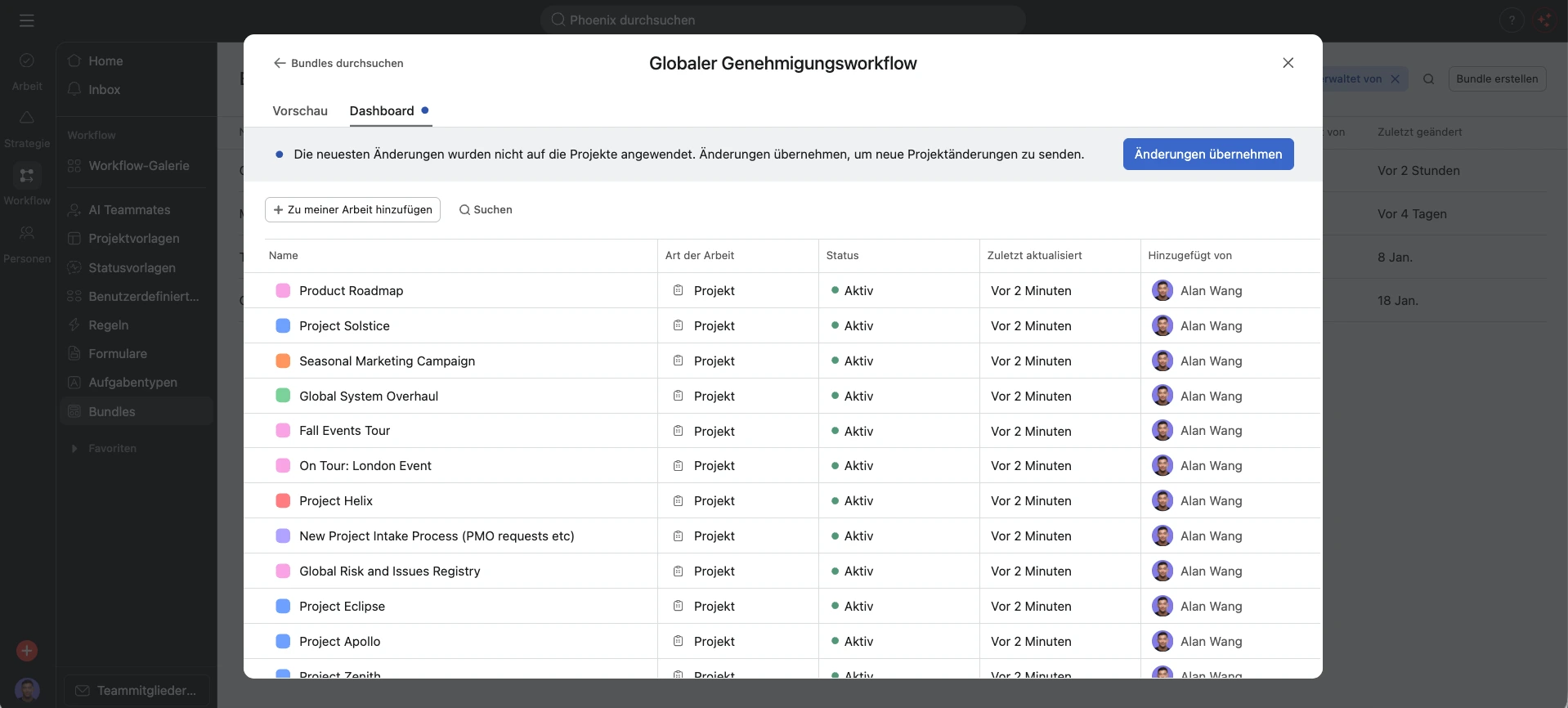
The real advantage appears when changes occur. When you adjust a rule within the bundle, Asana immediately applies this change to all linked projects. You only have to maintain your standard process in a single location.
Setup and Access
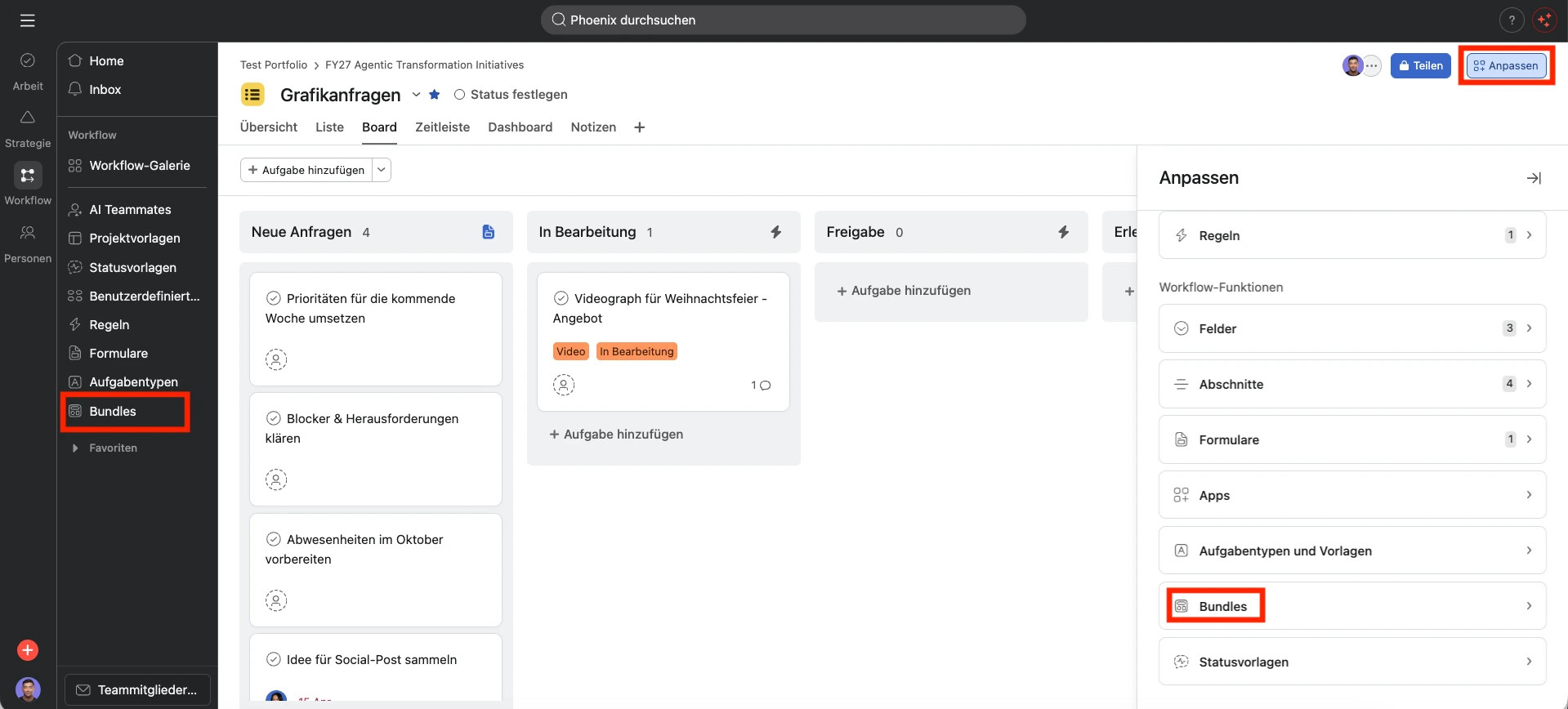
You can access bundles via the “Customize” button in your projects or through the “Workflow” tab. This feature is available to all Enterprise customers.
When creating a bundle, you have three options:
- Create New: You set up a bundle completely from scratch.
- Bundle Gallery: You choose an existing bundle from the collection and filter by responsibilities if needed.
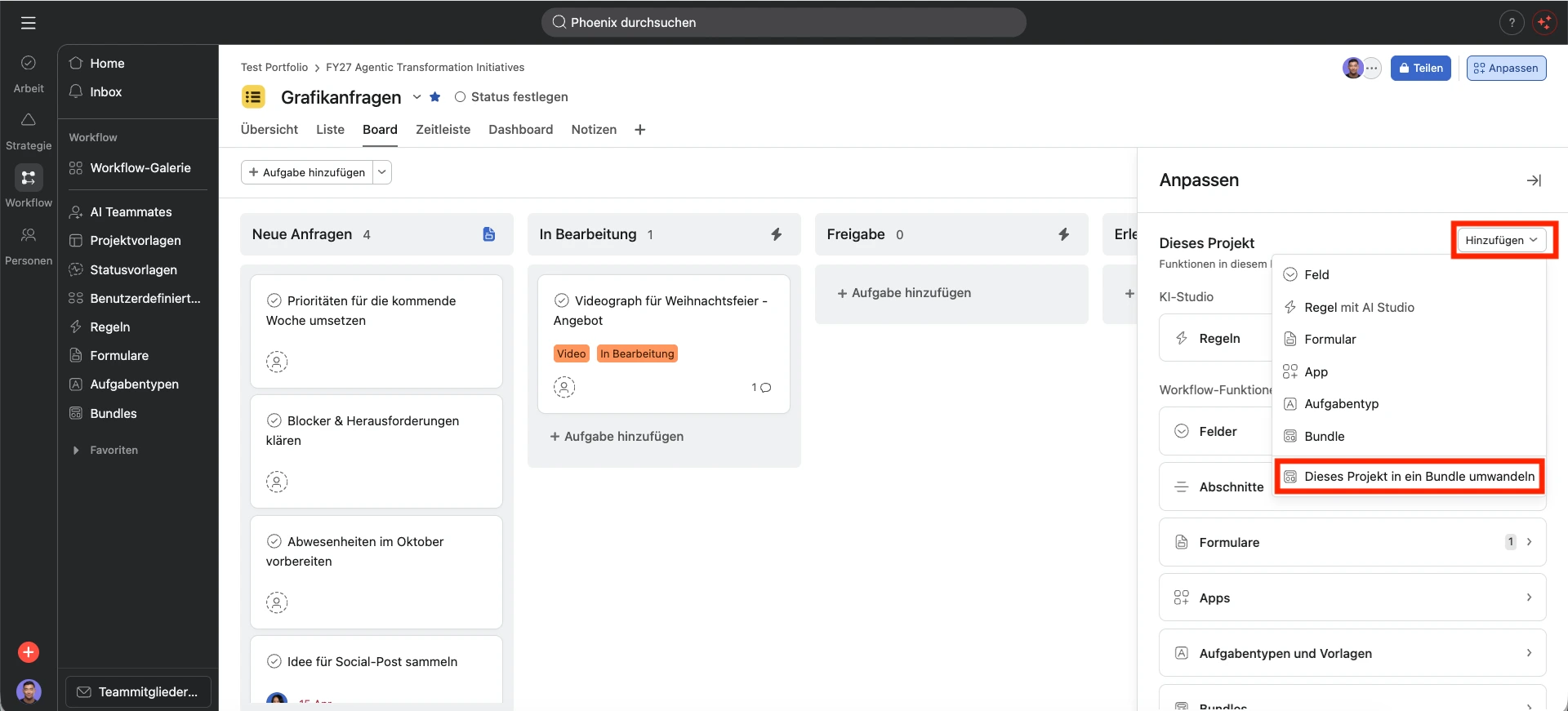
- Convert Project: You convert an existing project directly into a bundle to immediately use proven workflows as a standard.
For a flexible structure, you can add up to five bundles per project. Additionally, existing bundles can be duplicated to quickly build new processes on a proven foundation.
Functional Details and Permissions
Bundles offer extensive features for scaling your workflows. You can add a bundle not only to individual projects but also to entire portfolios. This automatically rolls out the content to all projects within that portfolio. Important to note: This currently only works for the first level of a portfolio, not for nested portfolios.
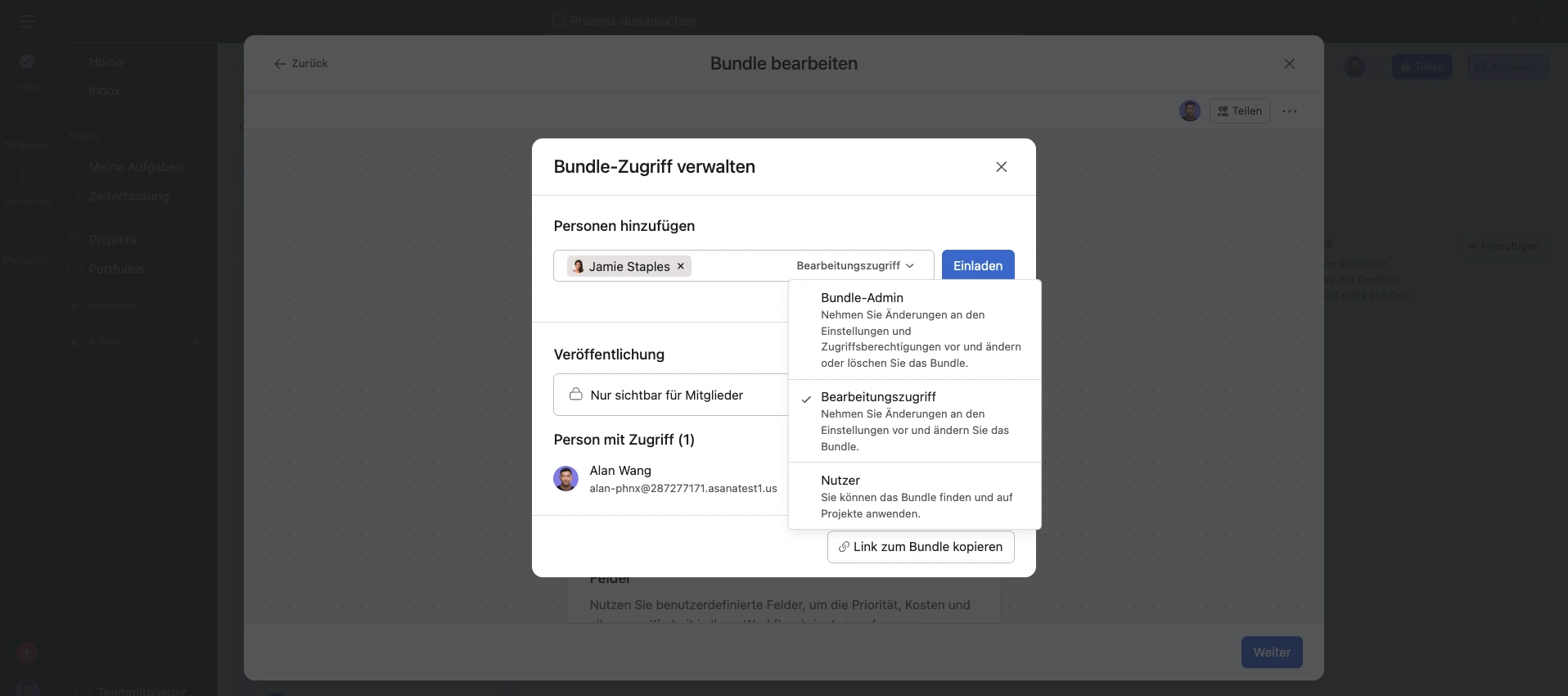
Clear rules apply to access. In addition to “Admin access,” you can share bundles with “Editor access” or “Viewer access” to maintain control over your standard processes.
Practical Example: Global Approval Workflow
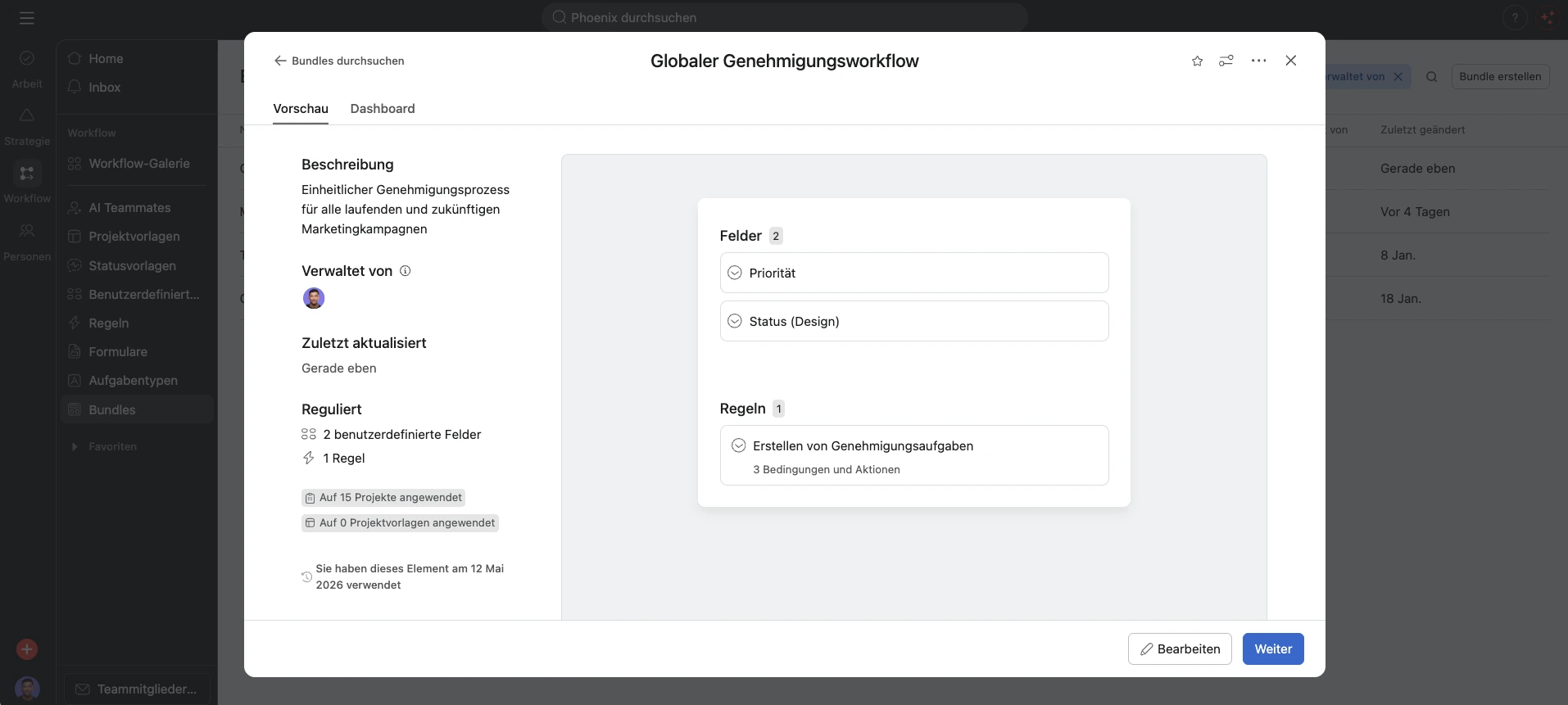
Imagine you want to introduce a uniform approval process for all current and future marketing campaigns. Without bundles, you would have to edit each project individually. With a bundle, you roll out the process to all projects with just a few clicks.
Contents of this bundle:
- “Status” field: A dropdown with values such as “In progress” or “Approval”.
- “Priority” field: Selection from “Low” to “High” to manage urgency.
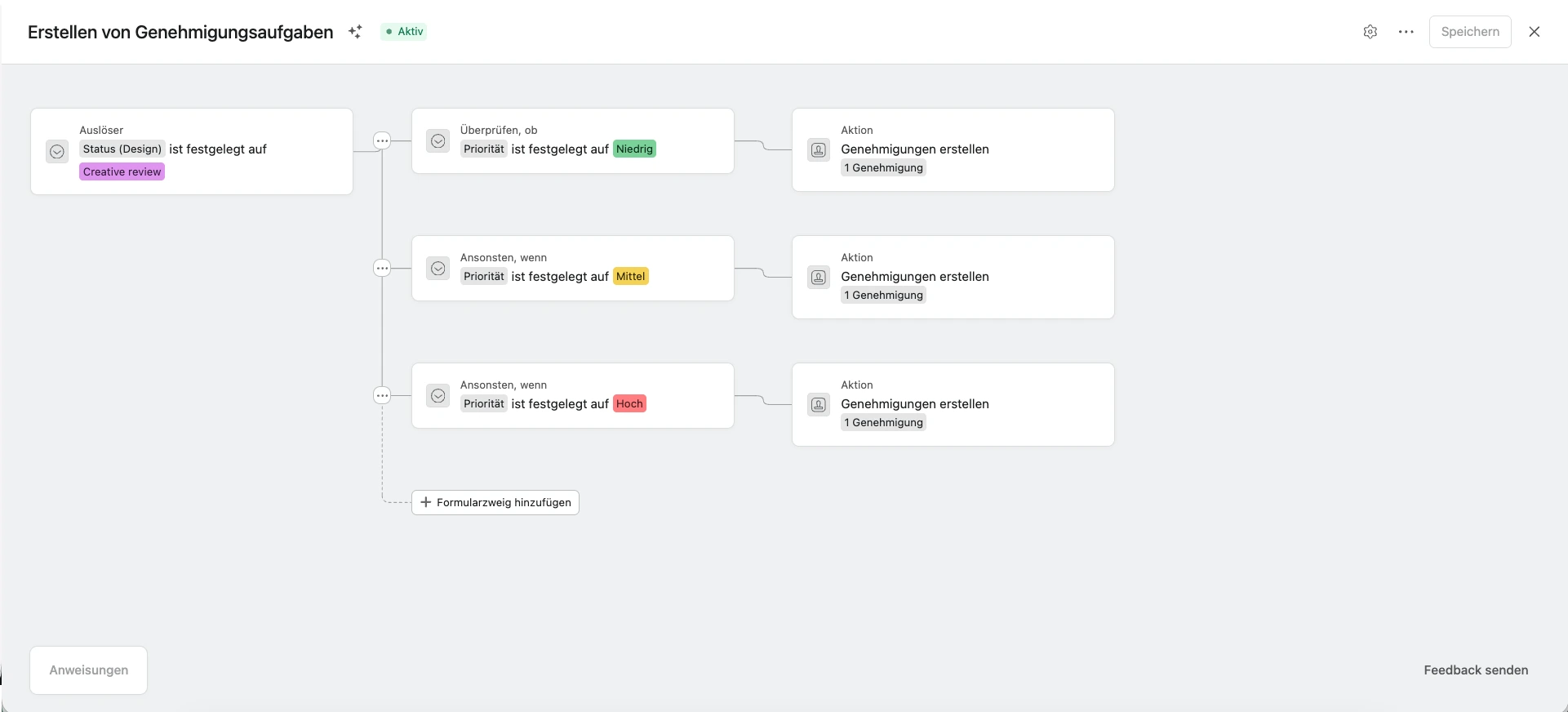
- Automated Rule: As soon as the “Status” changes to “Approval,” Asana automatically creates an approval task based on the priority.
By linking this bundle to your campaign portfolio, this workflow becomes active in all projects immediately.
Conclusion
If you haven’t used Asana Bundles yet, you should take a closer look at this feature. Bundles help you control processes centrally and roll out changes consistently across many projects.
Bundles don’t just reduce your manual effort during process changes. Above all, they guarantee uniform quality standards for all your teams and projects.
Further information on bundles can be found in the Asana Help Center.